1. Running the shop
Get it running
From the root of the repository, with the library installed in a fresh environment:
example_data makes two branches, North and South, four orders, and five
people. Each sample password is the username - never on a real database.
| sign in as | is | reaches |
|---|---|---|
north_manager |
a branch manager | North's orders: read, edit, approve - never the price |
south_manager |
a branch manager | South's, the same |
accountant |
the accountant | every order, with its price; nothing changed |
alice, bob |
customers | their own orders |
What the settings say
The library's part of config/settings.py:
# clearance: the backend that reads bundles, scopes and what was taken away.
AUTHENTICATION_BACKENDS = ['clearance.backends.ClearanceBackend']

# clearance: every API view asks the model's policy, unless it names another.
REST_FRAMEWORK = {
    'DEFAULT_PERMISSION_CLASSES': ['clearance.drf.permissions.ModelPolicyPermission'],
    'DEFAULT_AUTHENTICATION_CLASSES': ['rest_framework.authentication.SessionAuthentication'],
}

# clearance: the bundles, the status action and the roles are written in
# config/access.py, and applied by every migrate.
CLEARANCE = {
    'ACCESS': 'config.access.ACCESS',
    'SYNC_ON_MIGRATE': True,
}
And in INSTALLED_APPS, the library's admin site in place of Django's, and
its three apps - see installation.
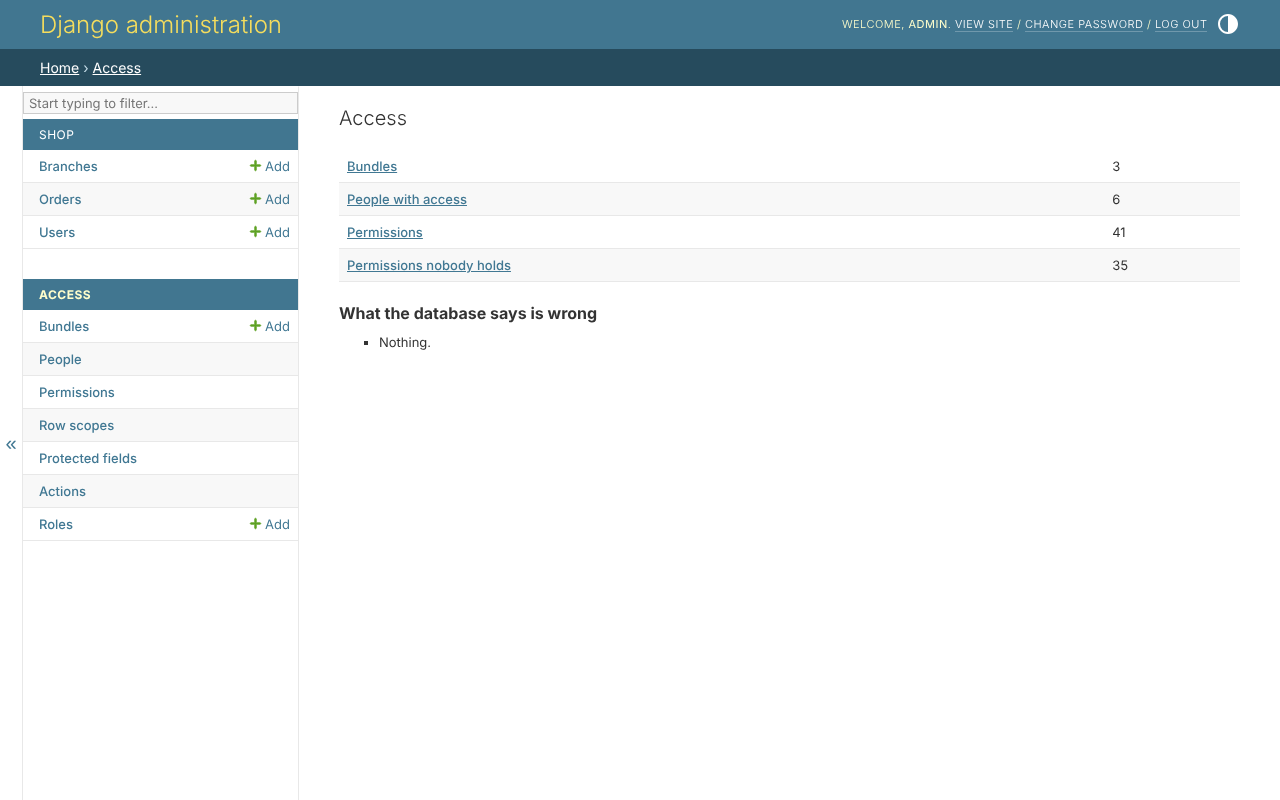
The access pages
Sign in at /admin/ as the superuser. Under Access, the overview lists the
bundles, the roles, the people with access, and anything clearance_check
found:
The rest of the tutorial takes the shop apart, a layer at a time.